You are an EDICAD customer and, as such, you have a software protection key. This key can be either an e-dongle or a USB dongle.
If you are using an e-dongle (or virtual dongle)
The e-dongle, or virtual dongle, is a simple numeric code automatically delivered to your software by EDICAD. Since this process is automated, you don’t need to do anything.
If needed, please contact EDICAD directly by calling +33 (0) 565 239 179 or by sending an email to: support@edicad.com.
If you are using a physical dongle (USB software protection key)
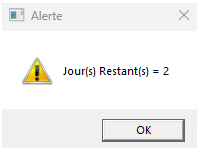
When the protection key code is nearing expiration, the dongle will notify you as follows:
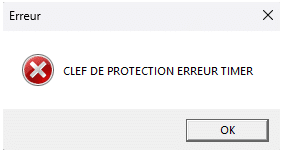
Once the protection code expires, the dongle will display an error message:
You simply need to download your activation codes by following the procedure below:
1. Make sure all EDICAD software is closed and that the protection key is properly connected to its USB port.
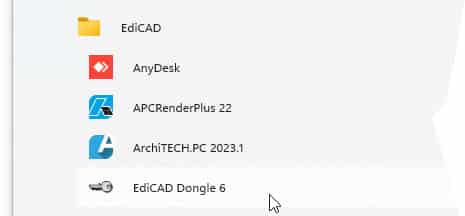
2. Click Start > All Programs > EdiCAD > EdiCAD Dongle 6
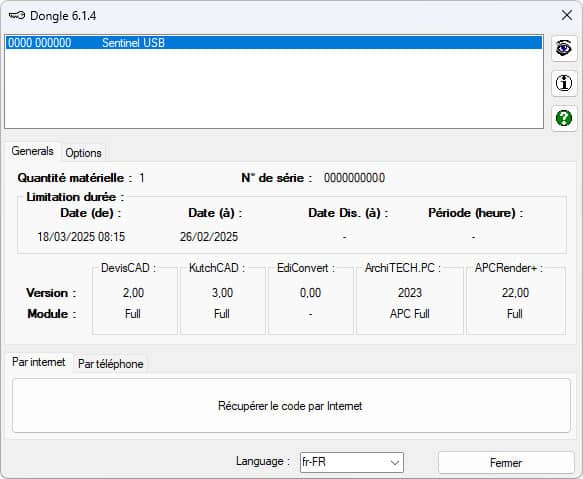
3. The serial number of the protection key is located on the left side of the blue banner, in the dialog box that appears.
4. Click Retrieve Code via Internet, then close the dialog box. The activation code has been updated.